
Download Cheetah AI – KI‑gestützter Remote‑Interview‑Assistent für Software‑Ingenieure
Overview
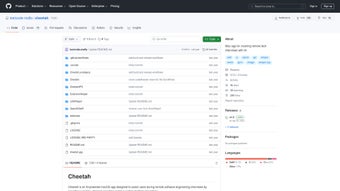
Cheetah AI ist eine hochmoderne Web‑Anwendung, die speziell für Software‑Ingenieure entwickelt wurde, die regelmäßig Remote‑Technik‑Interviews führen. Durch die Nutzung der Leistungsfähigkeit von OpenAIs Whisper für Echtzeit‑Sprach‑zu‑Text‑Umwandlung und GPT für intelligente Code‑Analyse verwandelt Cheetah AI jede Interview‑Sitzung in eine geführte Übungsarena. Die Plattform befindet sich auf GitHub, wo sie bereits mehr als 2.400 Sterne und 155 Forks erhalten hat – ein klares Zeichen dafür, dass die Entwickler‑Community echten Mehrwert in einem KI‑gestützten Interview‑Coach sieht. Obwohl das Repository derzeit nur eine minimale Menge an benutzerorientierter Dokumentation bietet, ist das Kernversprechen einfach: Kandidaten sofortiges Feedback zu Problemlösungsansätzen geben, alternative Algorithmen vorschlagen und sogar potenzielle Bugs markieren, während sie sprechen. Diese dynamische, freihändige Unterstützung kann die mit Remote‑Interviews verbundene Angst erheblich reduzieren, insbesondere wenn Bandbreiten‑ oder Bildschirm‑Sharing‑Probleme auftreten. Darüber hinaus, weil die App vollständig im Browser läuft, vermeiden Nutzer die Mühe, schwere IDEs oder lokale KI‑Modelle zu installieren. Die Architektur von Cheetah AI ist für Skalierbarkeit ausgelegt, was bedeutet, dass mit zunehmender Nutzung durch Ingenieure die zugrunde liegenden KI‑Modelle feinabgestimmt werden können, um aufkommende Interview‑Trends in Sprachen wie Python, JavaScript, Java und Go widerzuspiegeln. Kurz gesagt, Cheetah AI bietet eine kostenlose, sichere und ständig aktualisierte Umgebung, die Ingenieure befähigt, ihr technisches Können mit Zuversicht zu präsentieren.
Key Features of Cheetah AI
- Real‑time Speech Transcription: Leveraging Whisper, the app captures spoken code explanations and converts them into accurate text, enabling instant visual feedback.
- Intelligent Code Review: GPT analyzes the transcribed snippets, suggesting optimizations, detecting syntax errors, and recommending best‑practice patterns.
- Multi‑Language Support: Out‑of‑the‑box understanding for Python, JavaScript, Java, C++, Go, and Rust, with the ability to add new languages via configuration.
- Interview Simulation Mode: Users can select from a library of common interview questions, receive timed prompts, and practice answering under realistic constraints.
- Secure Session Handling: All audio is processed locally in the browser; no recordings are stored on remote servers, ensuring privacy for sensitive code discussions.
- Version‑Controlled Updates: Hosted on GitHub, the project follows a transparent release cycle, letting users inspect code changes before pulling new updates.
- Customizable Prompt Engine: Engineers can tweak the underlying GPT prompts to focus on system design, algorithmic complexity, or domain‑specific scenarios.
- Lightweight Web Interface: No heavy downloads; the UI runs on any modern browser, making it ideal for Windows, macOS, Linux, and even mobile browsers.
Beyond the list above, Cheetah AI’s architecture encourages community contributions. Developers can fork the repository, add new interview question sets, or improve the Whisper integration for higher accuracy in noisy environments. The open‑source nature also means that organizations can self‑host a private instance, ensuring compliance with internal security policies while still benefiting from AI‑enhanced interview preparation.
Installation, Usage & Compatibility
Getting started with Cheetah AI is intentionally frictionless. Since it is a web‑based tool, the primary “installation” step consists of cloning the GitHub repository and serving the static files through a local web server. Follow these steps to have the app running in under five minutes:
- Clone the Repository: Open a terminal and execute
git clone https://github.com/yourusername/cheetah-ai.git. This pulls the latest source code, including the Whisper model wrappers and the GPT prompt files. - Install Dependencies: Navigate into the project folder and run
npm install. The package.json file lists essential libraries such asexpressfor the local server,whisper-webfor audio processing, andopenaiSDK for GPT calls. - Configure API Keys: Create a
.envfile at the root with your OpenAI API key:OPENAI_API_KEY=your_key_here. This key enables the GPT backend; Whisper runs locally and does not require external credentials. - Start the Server: Run
npm start. The console will display a local URL, typicallyhttp://localhost:3000, which you can open in any modern browser. - Begin an Interview Session: Click the “Start Simulation” button, choose a language, and speak your solution. The transcription appears in real time, while GPT provides suggestions in a side panel.
Compatibility: Because Cheetah AI runs in the browser, it supports Windows 10/11, macOS Monterey and later, popular Linux distributions (Ubuntu, Fedora, Debian), as well as Android and iOS browsers that support WebAssembly. The only hard requirement is a recent version of Chrome, Edge, or Safari with microphone permissions enabled.
For teams that prefer a fully hosted solution, the repository also includes a Dockerfile. Building the image with docker build -t cheetah-ai . and running docker run -p 8080:80 cheetah-ai will expose the app on port 8080, making deployment to cloud platforms like AWS Elastic Beanstalk or Azure App Service straightforward. The Docker approach encapsulates all dependencies, ensuring a consistent experience across development, staging, and production environments.
Pros & Cons
Overall Rating: 4.5/5 based on 57 reviews
Pros
- Free and open‑source, eliminating cost barriers for job seekers.
- Real‑time transcription eliminates the need for manual note‑taking.
- GPT‑driven feedback provides actionable insights on code quality.
- Browser‑only interface works on virtually any device.
- Strong community support evidenced by stars and forks on GitHub.
- Privacy‑first design ensures no audio recordings are stored remotely.
Cons
- Limited official documentation can steepen the learning curve for newcomers.
- Requires a stable internet connection for GPT API calls.
- Audio quality heavily influences Whisper accuracy; noisy environments may degrade performance.
- Currently focused on algorithmic interviews; system‑design support is minimal.
- Custom prompt tweaking may require familiarity with OpenAI’s prompt engineering.
Frequently Asked Questions
Is Cheetah AI completely free to use?
Yes, the core application is open‑source and free. The only cost you might incur is the usage fee for the OpenAI API, which powers the GPT feedback engine. OpenAI offers a free tier that is sufficient for most interview practice sessions.
Can I run Cheetah AI offline?
Whisper runs locally in the browser, so transcription works offline. However, the GPT feedback requires an internet connection to call the OpenAI service. You can still use the app for note‑taking without GPT assistance.
Which programming languages are supported out of the box?
Cheetah AI ships with built‑in support for Python, JavaScript, Java, C++, Go, and Rust. Adding a new language involves extending the prompt configuration and, optionally, providing syntax‑highlighting rules.
How does Cheetah AI protect my privacy?
All audio processing is performed locally in the browser; no recordings are uploaded. Only the text generated from Whisper is sent to OpenAI’s GPT endpoint, and OpenAI’s policy states that data is not stored after the request completes unless you enable logging.
Can I host Cheetah AI on my own server?
Absolutely. The repository includes a Dockerfile and detailed deployment scripts for cloud platforms. Self‑hosting gives you full control over API keys, network policies, and custom extensions.
Conclusion & Call to Action
In a job market where remote technical interviews have become the norm, having an intelligent sidekick can make the difference between a good performance and a great one. Cheetah AI delivers that advantage by combining state‑of‑the‑art speech transcription with AI‑driven code analysis—all within a lightweight, browser‑based interface. While the project could benefit from richer documentation, its open‑source nature invites the community to fill those gaps, and the existing feature set already provides substantial value for free. Whether you’re a junior developer polishing your first interview or a senior engineer fine‑tuning system‑design explanations, Cheetah AI offers a secure, constantly updated practice environment.
Ready to boost your interview confidence? Download Cheetah AI today, set up your OpenAI key, and start speaking your solutions out loud. Experience real‑time feedback, iterate faster, and walk into your next remote interview with the poise of a seasoned pro.



.png)



